Well Long Time no see, people around the globe are now very much confuse in buying cell phone as there are dozens of options now and the technology of these phones are just wow!! some of them are earning from Brand Names some of them are using there UI, but after the launch of OnePlus 3 smart phone things are getting out of control tech wise, so I have decided to share with a simple, a very simple differences in big Giants.
Share the Step by Step Knowledge, Ideas and Experiences About the It world. You can find Easy learning from here by the given step by step guide To Install and Implements Related and the Other Upcoming info techs Products.
Showing posts with label Iphone. Show all posts
Wednesday, 7 September 2016
S7 Edge Vs One Plus 3 Iphone 6s
Well Long Time no see, people around the globe are now very much confuse in buying cell phone as there are dozens of options now and the technology of these phones are just wow!! some of them are earning from Brand Names some of them are using there UI, but after the launch of OnePlus 3 smart phone things are getting out of control tech wise, so I have decided to share with a simple, a very simple differences in big Giants.
Location:
Karachi, Pakistan
Monday, 7 April 2014
How to Check Iphone, Android or Windows Devices Factory Unlock Status
There are so many reason of checking the factory unlock status of your phone whether your device is unlocked, it might just be that because you are curious to know about your phone or your might want to sell that's why you need to know the status so you could accurately notify the prospective buyer, and also we know that unlocked devices are more valuable and if every one has the unlocked smart phone this world would be so better in the way.
lets come to the point of the blog which is how anyone can know about the status of your their smart devices.
Thursday, 29 December 2011
Send Your Notification Directly to Your Email With Cydia
With the untethered jailbreak now available to iOS 5 users, Cydia enthusiasts will now be frantically clogging their devices with various tweaks from Saurik’s App Store alternative.
As most of you will be more than aware, much of the content found in Cydia – as is the case with its Cupertino cousin – is junk, and thus we try our level best to filter out much of the garbage and point you guys towards the tweaks worth your time and money.
Before the days of smartphones, e-mail and SMS were two rather different mediums of communication – one was done on a mobile device – the other predominantly on a PC or Mac. In our digital age, however, the pair work harmoniously, crossing over each other and providing one synonymous, multi-platform service.
iMessage is a prime example of this, allowing text and rich content to be sent back and forth between iPhone, iPad and iPod touch devices whether using a phone number or e-mail address.
iForward, a jailbreak tweak developed by Ryan Conigliaro, essentially bridges the remaining gap between e-mail and SMS by allowing text messages to be forwarded to a corresponding e-mail address without any hassle whatsoever. It willfully forwards sent and received messages along with all the relevant
As most of you will be more than aware, much of the content found in Cydia – as is the case with its Cupertino cousin – is junk, and thus we try our level best to filter out much of the garbage and point you guys towards the tweaks worth your time and money.
Before the days of smartphones, e-mail and SMS were two rather different mediums of communication – one was done on a mobile device – the other predominantly on a PC or Mac. In our digital age, however, the pair work harmoniously, crossing over each other and providing one synonymous, multi-platform service.
iMessage is a prime example of this, allowing text and rich content to be sent back and forth between iPhone, iPad and iPod touch devices whether using a phone number or e-mail address.
iForward, a jailbreak tweak developed by Ryan Conigliaro, essentially bridges the remaining gap between e-mail and SMS by allowing text messages to be forwarded to a corresponding e-mail address without any hassle whatsoever. It willfully forwards sent and received messages along with all the relevant
Your Iphone Can Be An Expensive Ipad By Tizi & Siri
There may be people reading this who have yet to hear about the tizi device and what it is, or what benefits it can provide to users. tizi is a mobile device which provides a TV hotspot for iPhone, iPod Touch and iPads effectively providing mobile television without any wires or adapters.
The device offers user the ability to turn their iOS device into a stylish TV set providing digital free-over-the-air television (DTT) services without the need to use any cellular data. The only requirements are an iOS device, the tizi device and the free of charge tizi.tv application from the App Store.
The theory behind the service is relatively simple. The tizi device comes with an attached antenna, which when extended picks up a digital over-the-air (DTT) TV signal, subsequently broadcasting it over Wi-Fi to the iPhone, iPad or iPod touch which has the tizi.tv application running. The beauty of the service is that the device itself is pocket sized and allows up to three and a half hours of playback.
The device offers user the ability to turn their iOS device into a stylish TV set providing digital free-over-the-air television (DTT) services without the need to use any cellular data. The only requirements are an iOS device, the tizi device and the free of charge tizi.tv application from the App Store.
The theory behind the service is relatively simple. The tizi device comes with an attached antenna, which when extended picks up a digital over-the-air (DTT) TV signal, subsequently broadcasting it over Wi-Fi to the iPhone, iPad or iPod touch which has the tizi.tv application running. The beauty of the service is that the device itself is pocket sized and allows up to three and a half hours of playback.
Thursday, 22 December 2011
Winner And Loser Of Infotech Of the Year
Time is a funny thing. One minute I’m standing in a crowded room fondling HP’s new 10.1-inch TouchPad tablet, the next, I’m writing its obituary, and a moment later I’m marking the rebirth of its OS as an open source platform. That’s not really how it happened. This course of events took much of 2011. But it’s a quirk of life that time, especially as you get older, goes by faster and faster, and a company’s fortunes can change in the blink of an eye — even if that blink took 12 months.
As 2011 draws to a close it’s the perfect time for me to decompress the year, to pull it apart like an accordion, stretching it wide so I can see the events, big and small, that gave 2011 its character. Those on the top edge of those accordion folds are the year’s winners, while the others living in the channels are its losers.
Monday, 19 December 2011
Android Beat Iphone In Number Of Facebook Active Users
It’s an interesting milestone for both Facebook and Google, and one that possibly has regularly been on the cards, but Facebook’s Android app now has more active daily users than the same app on iOS does. The news is organised slightly more interesting after you remember that the Android publication of the Facebook app was simply organised available in September of 2009 – more than 12 months later its iPhone-based cousin was organised available.
Tuesday, 13 December 2011
Untethered Jailbreak Of IOS 5 Is Working On IOS 5.1
Monday, 12 December 2011
How To- Downgrading of Apple Iphone IOS Using iFaith [IOS5.1 to IOS5.0] Part 3
Step 5: Follow on video screen commands on how to position your invention into DFU mode.
Here is a not hard walkthrough on how to realise this;
- Hold Power and Home buttons at the matching time for 10 seconds
- Release the Power button while carrying on to retain Home until the video screen is blank.
- Congratulations, you have productively moved into DFU mode.
Congratulations, you’ve productively downgraded your firmware to the very first in the iOS 5, which is surely advantageous if you’ve got that intangible untethered jailbreak in the back of your mind.
iOS 5.1 is foretold to be the next firmware variety to decline, and though we look frontwards to Apple to sort out the storage battery subject, the early signals are not utterly promising. Let’s expect it doesn’t turn into a farce resembling antennage ’10.
Labels:
Apple,
How To,
IOS5,
Iphone,
Step by Step
How To- Downgrading of Apple Iphone IOS Using iFaith [IOS5.1 to IOS5.0] Part 2
Step 2: Select the ‘Build *signed* IPSW w/Blobs’ as depicted in the screenshot below:
Step 3: Browse and pinpoint the blobs record that you beforehand collected for your prevailing invention firmware, chased by browsing for the store firmware variety that you like iFaith to bring ahead individually fitted out firmware for, and subsequently select ‘Build IPSW’. iFaith will now self-acting bring ahead a individually fitted out firmware with the SHSH blobs included for the firmware you are downgrading to.
Step 4: Select Proceed and then Start to move into DFU Mode employing iFaith’s built-in DFU Pwner (iREB).
Labels:
Apple,
How To,
IOS5,
Iphone,
Step by Step
How To- Downgrading of Apple Iphone IOS Using iFaith [IOS5.1 to IOS5.0] Part 1
Starting with iOS 5, Apple adjoined some new trials to assure population fasten with the current variety of iOS. This made downgrading to iOS 5 impractical employing SHSH blobs collected by Cydia or TinyUmbrella. But now, thanks to iH8sn0w’s iFaith, you can downgrade from iOS 5.1 or iOS 5.0.1 to iOS 5 individually fitted out firmware as long as you have APTicket + SHSH blobs collected for it.
Thursday, 8 December 2011
Your Iphone Can be Killed By Shady H1Siri -[See Here]
Siri, iOS 5’s voice accomplice request for paid job works wholly on the iPhone 4S. Hackers have been endeavouring for long to break through the fascinating programs in order that it could be employed on other Apple inventions and now a Chinese gathering allegations to have wrapped up just that.
Recently, a gathering of Chinese hackers labelled CD-Dev Team alleged they have productively ported Siri on iPhone 4 and described how iPhone 4 users can fit the the broken through variety of Siri called H1Siri.
Attracted by the roles of Siri, some of those who have not upgraded their iPhone to the newest type apparently can’t hold back to fit it and convey with the educated assistant.
However, they may perhaps be prevented when they ultimately find that the broken through app does not work at all. And, there's more horrid journal - the usage of the shady seaport could not only violate Apple’s copyright but in addition there is a prospect that their private written knowledge has been conveyed to the hackers servers.
According to iDownloadBlog, H1Siri includes copyrighted computer encrypting configuration iPhone 4S and any of its usage is illegal. Not only that, renowned iPhone hacker @chpwn substantiated that users would unwittingly be conveying their written knowledge on Email, SMS, Calendar, Contacts, Location, etc. to the hackers’ servers if they a go to entry to Siri through proxy.
And, that's still not the least that can happen. The most appalling thing is the unpredictable ‘side effect’ after fitting the software. The shady seaport may source random reboots, smash the camera, clay block the handset, disorder up the Settings app, source the handset to get fastened at the Apple logo, as showed by some early adopters’ reports.
Previously, H1Siri (or the broken through Siri) worked by connecting to CD-Dev Team’s servers. But now the servers have gone offline possibly because of the advancing demand. In other remarks, the users will now find their H1Siri futile since it doesn’t bind to a server.
On a boundary note, there have in addition been numerous tries to make Siri work on an iPad. However, the efforts of assorted hackers and developers to resolve the Siri bewilder were in vain because they could not get Siri to convey with the backend server which is demanded to answer to the enquiries.
Reference: ibmtimes.com
Attracted by the roles of Siri, some of those who have not upgraded their iPhone to the newest type apparently can’t hold back to fit it and convey with the educated assistant.
However, they may perhaps be prevented when they ultimately find that the broken through app does not work at all. And, there's more horrid journal - the usage of the shady seaport could not only violate Apple’s copyright but in addition there is a prospect that their private written knowledge has been conveyed to the hackers servers.
According to iDownloadBlog, H1Siri includes copyrighted computer encrypting configuration iPhone 4S and any of its usage is illegal. Not only that, renowned iPhone hacker @chpwn substantiated that users would unwittingly be conveying their written knowledge on Email, SMS, Calendar, Contacts, Location, etc. to the hackers’ servers if they a go to entry to Siri through proxy.
And, that's still not the least that can happen. The most appalling thing is the unpredictable ‘side effect’ after fitting the software. The shady seaport may source random reboots, smash the camera, clay block the handset, disorder up the Settings app, source the handset to get fastened at the Apple logo, as showed by some early adopters’ reports.
Previously, H1Siri (or the broken through Siri) worked by connecting to CD-Dev Team’s servers. But now the servers have gone offline possibly because of the advancing demand. In other remarks, the users will now find their H1Siri futile since it doesn’t bind to a server.
On a boundary note, there have in addition been numerous tries to make Siri work on an iPad. However, the efforts of assorted hackers and developers to resolve the Siri bewilder were in vain because they could not get Siri to convey with the backend server which is demanded to answer to the enquiries.
Reference: ibmtimes.com
Wednesday, 7 December 2011
Let Us Know So many Ws about Cydia that What, When & Where is Cydia
What is Cydia?
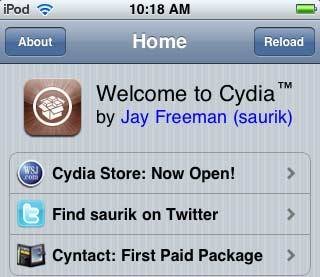
Cydia is a third-party, independent installer application for iPhone, iPad and iPod touch. Cydia is developed by Jay Freeman (Saurik) and it’s actually much similar to Apple’s app store. Cydia allows you to download tons of tweaks & utilities that you’ll need to make the best out of your iOS device. Cydia brings you many applications that can be downloaded either for free or for a small amount of money.What is the difference between app store and Cydia?
That’s a good question. You’ve now known that Cydia is much similar to the app store but you may want to know what’s the difference. Well, some apps that can’t be approved by Apple. Those apps are really very important for your iPhone. Utilities and tweaks can be found over Cydia are those that are not there on the app store.Cydia offers you over 400,000+ apps and they’re all useful. In the next questions, we’ll show you what kind of apps does Cydia offers and why you will need them.
Why Cydia?
Because Cydia offers you what Apple doesn’t. For example, Apple doesn’t give you the ability to change themes of your iPhone. Every smartphone owner would always like to change his mobile theme. On Cydia, you can install a tweak called “Winterboard” which allows you to download and install themes on your iPhone, iPad or iPod touch.How can I get Cydia?
That’s a complicated thing for some. To get Cydia, you’ll need to jailbreak. You may don’t know what’s jailbreaking, so let’s head over the next question.What’s jailbreaking?
In brief, jailbreaking means installing Cydia. That’s a kind of complicated process but it has been confirmed that iOS jailbreaking is 100% legal by the U.S. government. Though, Apple still fights jailbreaking.The war between Apple and jailbreaking has been there since 2008 when the first jailbreak tool was released by the genius iPhone hacker George Hotz, better known as Geohot.
There’s actually two kinds of jailbreaks, one of them is a bootrom jailbreak which lasts for ever. That jailbreak like Geohot’s latest Limera1n jailbreak. Limera1n’s exploit is still being used up till now on all iOS devices except the iPad 2 and iPhone 4S (which are recently released after the release of Limera1n).
The second kind is the userland jailbreak. This jailbreak is only made for the current iOS software. In other words, it can be patched by Apple in future iOS software updates. This one like JailbreakMe 3.0 for iPad 2 which has been patched only after 10 days.
What is tethered, untethered and semi tethered jailbreak?
As previously posted, tethered jailbreak is that jailbreak where you’ll need to plug in your iPhone into your computer every time the device reboots. Untethered kills that problem and allows you to reboot without any issues. Semi tethered closes the gap between the previous ones, it allows you to reboot without any problems but you won’t get control over some apps (especially those downloaded jailbreak apps). However you can get full access again once you connect it to your computer.Can I download Cydia without jailbreak?
Absolutely NO! Never believe anyone telling you that you can download Cydia without jailbreak.How to jailbreak?
So you resolved to fit Cydia? You’ll want to jailbreak. In rank to jailbreak your iPhone, iPad or iPod contact, you’ll want to recognise the prevailing iOS you’re using. For iOS 5 users, you can get tethered jailbreak from here, semi-tethered jailbreak from here and better hold back for the untethered one. We’re organising a kind of implement to sanction you to find out if your invention jailbreakable or not. You can take a view and explore on CydiaHelp for more info.
Is Cydia safe?
Cydia is not 100% secure since virtually every jailbreak app is commended on Cydia. This growth the likelihood of malicious apps getting through too. You should only download apps & adjusts from trusted repositories. Repositories like ModMyi and BigBoss are the safest ones. Oh, you don’t recognise what’s repositories?What’s repositories?
Repository is the online hub in which developers warehouse their adjusts for speedy and not hard entry to and installation. There are many of repositories as ModMyi repo and BigBoss repo where we can find out most of adjusts we explore for.Cydia structure
In case you have now got Cydia, you’ll want to recognise what’s indoors it. Once you open Cydia, you’ll find 5 tabs, here’s everything you want to know:Home – You can find here some requests for paid job sponsored, more Sources FAQ, account knowledge and some valued settings.
Sections – In this tab, you can observe all apps pulled apart into categories. You should just depart in the group you want and view up for your tweak.
Changes – All amendments and recently adjoined programs can be encountered here. This tab is renewed every time you open Cydia.
Manage – Allows you t omanage Cydia, get clear of programs, add basis and repositories and have entry to to all storage.
Search – That’s the tab where you can explore for a adjust – only if you got the name.
How perform I compensate for apps on Cydia?
In Apple’s app warehouse, you can compensate through your iTunes Apple ID. On Cydia, you can login with a Facebook or Twitter account and compensate employing Paypal or Amazon gift cards. Payments on Cydia are less difficult than you expect.What practical adjusts to download from Cydia?
In case you’re a new comer and requesting for the best adjusts to download from Cydia, we’ve got some adjusts that we recommend:- Ultrasn0w
- Activator
- SBSettings
- BiteSMS
- AppLocker
- Five Icon Dock
- iFile
- InfiniFolders
- MxTube
- Multifl0w
- Winterboard
- FaceTime 3G
- FolderEnhancer
- GraviBoard
- Terminal
- OpenSSH
- ScrollingBoard
- MultiIcon Mover
- StayOpened
Siri Port On iPhone 4 & iPod Touch 4G : Fully Support
Folks, you read it right! It’s lastly here; H1Siri is the first service establishing Siri porting to the public free of charge. You can fit Siri on your iPhone 4 and iPod touch right now and get it entirely ported and bound to Apple’s servers. Just chase our full step by step lead shown below.
This full seaport of Siri is made for iPhone 4 GSM & CDMA versions and iPod Touch 4G only. Other inventions are presently not supported.
If you have beforehand fitted a jailbreak adjust famous as “Siri0us” which fitted Siri dictation on iOS 5 inventions, it’s better to get clear of it to stop colliding fiercely and conflicting.
The associates famous as CD-Team deduced a adjust called “H1Siri” which contributes Siri’s GUI and Siri connectivity to the team’s own servers. Siri will not be bound to Apple’s servers, alternatively, it will be bound to confidential servers.
Siri Port On iPhone 4 & iPod Touch 4G : Fully Support
STEP 1: First of, you’ll want an iPhone 4 or iPod contact running iOS 5 / iOS 5.0.1. You can review our iOS firmware download page here.
STEP 2: You’ll in addition want to jailbreak your iPhone 4 or iPod contact 4G by employing our lead sent here for iOS 5.
STEP 3: Once jailbroken, head to Cydia then Manage, Sources, Edit and lastly bang Add.
STEP 4: Write the subsequent repository and bang add:
http://www.iphone3gsystem.fr/cydia
STEP 5: Get back to Cydia and explore for H1Siri and fit it. It will take some time since it weighs 109 MB.
STEP 6: After winning putting in, give your invention a reboot.
STEP 7: Now depart to Settings, General, Siri and change it to on.
This full seaport of Siri is made for iPhone 4 GSM & CDMA versions and iPod Touch 4G only. Other inventions are presently not supported.
If you have beforehand fitted a jailbreak adjust famous as “Siri0us” which fitted Siri dictation on iOS 5 inventions, it’s better to get clear of it to stop colliding fiercely and conflicting.
The associates famous as CD-Team deduced a adjust called “H1Siri” which contributes Siri’s GUI and Siri connectivity to the team’s own servers. Siri will not be bound to Apple’s servers, alternatively, it will be bound to confidential servers.
Siri Port On iPhone 4 & iPod Touch 4G : Fully Support
STEP 1: First of, you’ll want an iPhone 4 or iPod contact running iOS 5 / iOS 5.0.1. You can review our iOS firmware download page here.
STEP 2: You’ll in addition want to jailbreak your iPhone 4 or iPod contact 4G by employing our lead sent here for iOS 5.
STEP 3: Once jailbroken, head to Cydia then Manage, Sources, Edit and lastly bang Add.
STEP 4: Write the subsequent repository and bang add:
http://www.iphone3gsystem.fr/cydia
STEP 5: Get back to Cydia and explore for H1Siri and fit it. It will take some time since it weighs 109 MB.
STEP 6: After winning putting in, give your invention a reboot.
STEP 7: Now depart to Settings, General, Siri and change it to on.
DISCLAIMER: Please read the caution communication under, this blog is not to be held the cause for any forfeit of written knowledge as a effect of the malfunctioning of your invention in the subsequent of this guide. Follow at your own risk.
Warning! H1Siri benefits proxy to entry to Siri, which may let other people to spy on you. Precisely, by employing proxy to entry to Siri, you may be conveying your Email, SMS, Calendar, Contacts, Location, etc though that server. Moreover, H1Siri may violate Apple's copyrights to receive wanted records to seaport Siri on non-iPhone 4S devices.
So what now ? You have to stay away from H1Siri until developer mend these subjects in case they competent to perform this. If you now fitted H1Siri on your iPhone 4 or iPod contact 4G you can depart Cydia and get clear of it and you are safe. satisfy let your acquaintances know.H1Siri In Action
Sunday, 4 December 2011
Iphone Battery Problem Is Not Resolved yet
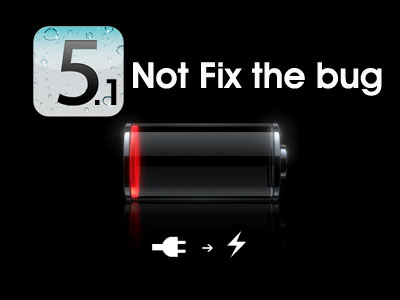
Apple has not experienced everything going their way despite seeing iPhone 4S topping the sales chart. The iCloud and iOS has still undergone a variety of issues. With the release of iOS 5 , many users where able to fix long-standing issues but one thing that it failed to do is to solve the battery life problem.
Apple has participated in the discussion by confirming that iOS 5 still possess problems but also informed that they are trying to fix the problem. And we thought the battery drain issue would now be over when iOS 5.0.1 was seeded to testers. But that did not happen and the issue even spread to those who were not previous sufferers before.
With that a new beta in the form of iOS 5.1 was seeded to developers. 0.9 higher than the previous version , it looked promising and was thought to aid the battery life problem to some extent. But that did not happen. However we have heard that performing a DFU restore and then using iCloud backup to restore all data can aid in battery life performance. You can try this to see how it goes.
Also it has been reported that every time users updated to the new iOS version (iOS 5.0.1 or the new beta), they had to perform an iCloud backup to restore all data. Also we are unsure if the update process when not done as a DFU restore faces a problem or not. We still have to see how the battery life does this time around.
We would like to hear how your battery life is performing if you updated to the new beta! How did you upgrade? What hardware did you use? Has the battery life worsened.
Apple has participated in the discussion by confirming that iOS 5 still possess problems but also informed that they are trying to fix the problem. And we thought the battery drain issue would now be over when iOS 5.0.1 was seeded to testers. But that did not happen and the issue even spread to those who were not previous sufferers before.
With that a new beta in the form of iOS 5.1 was seeded to developers. 0.9 higher than the previous version , it looked promising and was thought to aid the battery life problem to some extent. But that did not happen. However we have heard that performing a DFU restore and then using iCloud backup to restore all data can aid in battery life performance. You can try this to see how it goes.
Also it has been reported that every time users updated to the new iOS version (iOS 5.0.1 or the new beta), they had to perform an iCloud backup to restore all data. Also we are unsure if the update process when not done as a DFU restore faces a problem or not. We still have to see how the battery life does this time around.
We would like to hear how your battery life is performing if you updated to the new beta! How did you upgrade? What hardware did you use? Has the battery life worsened.
Friday, 2 December 2011
Detect Carrier IQ In Your Mobile .
The Internet has been abuzz with mentions of Carrier IQ, a analytical watching programs that has been encountered to be present on several Android smartphones, as well as Apple’s own iOS platform.
As we are still drawing close to time spans with what the service is truly watching and conveying back to the financial gathering and our operators, Engadget contributes us news of a new app from forensic specialist François Simond, a.k.a Supercurio, who has deduced a organised little portion of Android
iPhone OS 4 vs Android: Aww!! For Apple
IPhone 5 Features – What peoples are expecting from Iphone?
The iPhone 5 aspects comment cloud has now commenced pouring through the world large web. Technology websites, public websites, journal wires and more websites are buzzing with journal, rumors and knowledge about the iPhone 5 and the aspects it perhaps has. Here’s a sneak apex at what the iPhone 5 bandwagon is all about:
Iphone Issues and its Resolution
It’s no query that the Apple iPhone is possibly the most versatile, most feature-rich and most useful portable handset in the world. Its immense allotment of worldwide sales is validation of that. But while the well-loved Apple iPhone is absolutely a pleasure to have and to use, it can run into a two population of troubles now and then. But alternatively of paying out your amount or your month’s paycheck on iPhone mends, analyze fastening these iPhone troubles yourself. We’ll get you on the right path (and aid you save wealth, besides) by itemising down the most universal iPhone troubles and enumerating the steps on how to mend them.
Thursday, 1 December 2011
Home Screen Shortcut [New Break iOS 5.1 Beta 1]
I found this article nice so i decided to share it with you guys..
Recently Jeff Broderick has found a way which allows iPhone users to create custom shortcuts for settings toggles on Home Screen without jailbreaking iPhone. It allows users to access settings toggles from the home screen of their iPhone. Now we came to know that Apple has modified the code in iOS 5.1 beta 1 which breaks Home Screen shortcuts. Now you will not be able to create custom shortcuts for settings toggles on the Home Screen of your iPhone. The 1st beta version of iOS 5.1 prevents the shortcuts from being created on the Home Screen of iPhone but it does not fix the battery issues of iPhone 4S users.
Recently an iPhone app developer has conducted a test between two iPhone 4S devices to know the reason behind iPhone battery issue. Finally he came to know that iPhone battery issue is a software problem, it is not a hardware problem. As it is a software problem, so it can be fixed through software update. It is expected that the final version of iOS 5.1 will fix the battery issues of iPhone 4S users.
Courtesy : Techcular.com
Wednesday, 30 November 2011
iOS 5.1 Beta is available for iPhone, iPod touch, iPad
Apple has advertised the distribute of iOS 5.1 Beta 1 for iPhone 4S, iPhone 4, iPhone 3GS, iPod contact 3G, iPod contact 4G, iPad 2 and iPad. This first beta variety of iOS 5.1 renders developers constricted Siri integration. The distribute jottings does not give any knowledge viewing the new aspects obtainable in iOS 5.1 Beta. Currently no knowledge obtainable about the new aspects Apple is arranging to usher in in the terminal variety of iOS 5.1. It is looked frontwards to that the terminal variety of iOS 5.1 will add more functionality to Siri voice accomplice feature. iOS 5.1 Beta 1 is obtainable only for recorded Apple developers. If you are signed-up in the Enterprise Program or iPhone Developer Standard then basically signin into Apple Developer Connection in rank to download this beta variety of iOS 5.1.
Recently German place Macerkopf has stated that Apple will distribute iOS 5.0.2 before the end of next week and iOS 5.1 in the next year. iOS 5.0.2 will mend storage battery life subjects of iPhone users and iOS 5.1 will add assorted aspects to Siri for instance the skills to empower or disable Wi-Fi and Bluetooth, arresting image or video. Macerkopf has accepted this knowledge from a programs technical operator of Apple. According to this Apple programs technical operator, iPhone users will be competent to savour 40 hours of standby time and 10 hours talktime after upgrading to iOS 5.0.2.
Click here to download iOS 5.1 Beta 1 from iOS Dev Center. If you like to download iOS 5.1 Beta 1 validly then you will want to have Apple Developer account. You can get Apple Developer account for $99 per year. Simply depart to Apple’s developer website to get Apple Developer account. It will give you entry to to beta versions of iOS. If you don’t have iOS developer account then you have to hold back for the terminal variety of iOS 5.1. It is looked frontwards to that the terminal variety of iOS 5.1 will be liberated in the next year.
Recently German place Macerkopf has stated that Apple will distribute iOS 5.0.2 before the end of next week and iOS 5.1 in the next year. iOS 5.0.2 will mend storage battery life subjects of iPhone users and iOS 5.1 will add assorted aspects to Siri for instance the skills to empower or disable Wi-Fi and Bluetooth, arresting image or video. Macerkopf has accepted this knowledge from a programs technical operator of Apple. According to this Apple programs technical operator, iPhone users will be competent to savour 40 hours of standby time and 10 hours talktime after upgrading to iOS 5.0.2.
Click here to download iOS 5.1 Beta 1 from iOS Dev Center. If you like to download iOS 5.1 Beta 1 validly then you will want to have Apple Developer account. You can get Apple Developer account for $99 per year. Simply depart to Apple’s developer website to get Apple Developer account. It will give you entry to to beta versions of iOS. If you don’t have iOS developer account then you have to hold back for the terminal variety of iOS 5.1. It is looked frontwards to that the terminal variety of iOS 5.1 will be liberated in the next year.
Subscribe to:
Posts (Atom)